Community mod safety guide
Horsey Game Mods Guide: Safe Sources, Setup, Backups, and Removal
Horsey Game mods are unofficial community projects. This guide explains what counts as a mod, where credible projects appear, how to protect a save, and how to recover when a game update breaks a tool.

Fast answer
Horsey Game mods exist, but they are community-made and should be treated as version-sensitive experiments.
Similarweb recorded `horsey game mods` at about 1,140 searches in the recent window, 589 average volume, and difficulty 80. GSC shows only weak accidental rankings from the homepage and FAQ, so a dedicated safety guide fits a distinct intent without replacing the DNA, Steam, free-download, map, or race pages.
Start with a project page or an established community discussion, never a random binary mirror. Back up the entire save folder, record the current game update and mod release date, test on a disposable save, and keep a clean rollback path. A GitHub page or Nexus listing is a discovery point, not proof that a download is safe, current, or compatible with your machine.
Definitions
Horsey Game mods versus built-in DNA and debug features
A mod changes or extends the game through external code, injected behavior, replacement data, or a tool that edits the save outside normal play. HorseyLiveTweaks, community SIM9000 experiments, and native modding frameworks are examples of community projects discussed around the game. Their goals and technical methods differ, so instructions for one project should never be copied to another.
The CRISPR lab, DNA extraction, gene editing, breeding, and ordinary in-game controls are built-in mechanics, not mods. Debug shortcuts can also be part of the shipped game even when they expose unusual behavior. Calling every strange horse or gene edit a mod makes troubleshooting harder because you may remove files when the real problem is a save state, a built-in experiment, or a normal update.
A save reader or save editor is adjacent to modding but deserves a separate risk label. It may change data without injecting code, yet a wrong value can still corrupt progression or create a horse that the current build cannot load. Keep the original save untouched and use the DNA guide for normal CRISPR questions before reaching for an external tool.
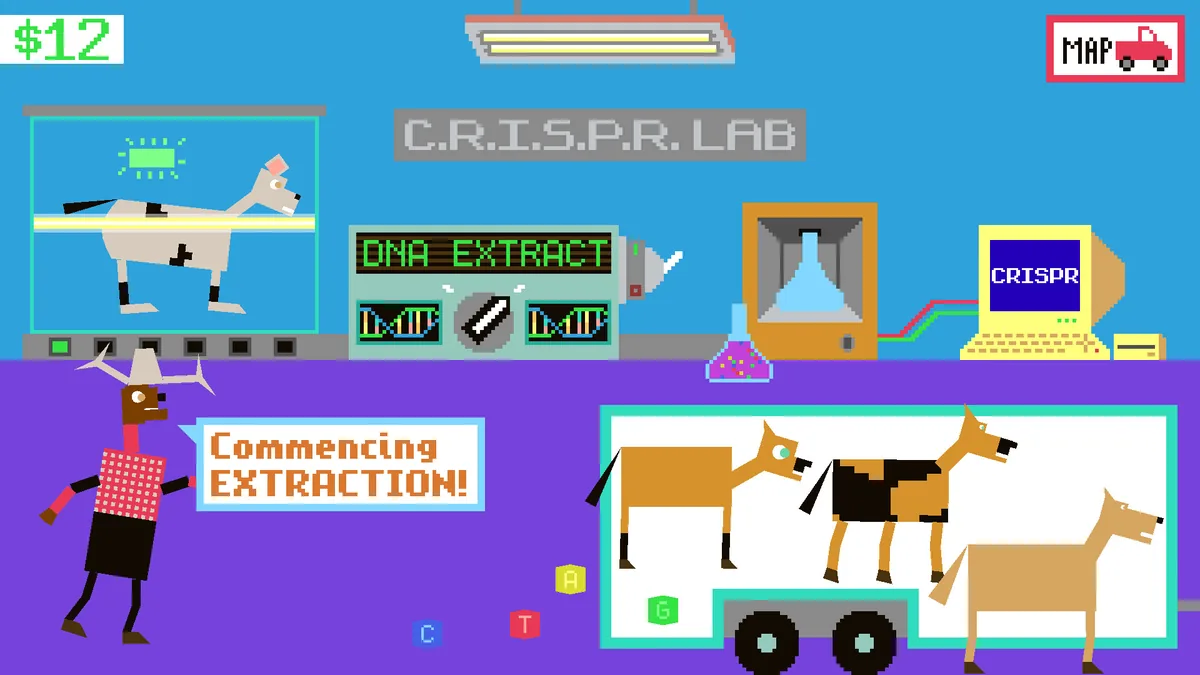
- Built in: CRISPR, DNA extraction, breeding, and normal game controls.
- External mod: Injected code, replacement data, loaders, or community frameworks.
- Save tool: External data editing that can still damage progression.
Source quality
Where to find Horsey Game mods without trusting the first download
Current community evidence appears mainly on GitHub, Steam Community discussions, and the Horsey Game listing on Nexus Mods. The Steam discussion hub shows active mod conversations in July 2026, including a timer and race-setting project, SIM9000 customization, and requests for broader mod support. These are user posts, not developer endorsements.
On a GitHub project, read the README, release history, open issues, recent commits, license, required runtime, supported game build, and uninstall notes. A repository with source code is easier to inspect than an anonymous executable, but public source does not automatically make a release harmless. Check whether the downloadable file is actually produced by that repository and whether other users report the same version working.
On Nexus or a forum, verify the uploader identity, file date, version notes, comments, prerequisites, and whether the link leaves the platform for an unknown mirror. Avoid reuploads that remove the original author, archive password posts, URL shorteners, installers that bundle unrelated software, and claims of an official mod pack when the developer has not published one.
- Project history: Recent commits, releases, issues, and clear documentation.
- Version evidence: Named game build or update date and matching user reports.
- Rollback notes: Removal steps and a clean restore path are documented.
- Red flags: Anonymous mirrors, bundled installers, forced passwords, or official claims without evidence.
Before installation
Create a clean baseline and protect every valuable save
Do not test a mod on the only copy of a long-running ranch. Close Horsey Game and Steam synchronization first, locate the save directory using the project instructions or Steam discussion evidence, and copy the whole folder to a dated backup outside the live save location. Copying one visible file may miss settings, indexes, or companion data that the game expects together.
Record the Steam app ID, operating system, latest official news date, mod name, mod release or commit, downloaded filename, source page, and the files you plan to replace. Screenshots of the clean ranch, money, horse count, important breeds, and current location make later comparison much easier. Never publish private paths or personal identifiers when asking the community for help.
Create a disposable test save if the game permits it. Launch once without mods, confirm the baseline loads, exit cleanly, and copy that fresh save too. If cloud synchronization is enabled, understand which copy wins before reconnecting; otherwise a damaged live save can overwrite the good cloud version or a cloud restore can undo your controlled test.
- Whole folder: Back up related save files together, not one guessed file.
- Dated copy: Store the backup outside the live save directory.
- Test save: Use disposable progress before opening the valuable ranch.
- Cloud plan: Know whether local or cloud data will overwrite the other.
Controlled setup
A safer Horsey Game mod installation framework
Follow the selected project's own instructions exactly. A native injector, a loader-based plugin, a save editor, and a content replacement do not share one universal installation folder. Confirm whether the project supports Windows, macOS, or both; the official game supports Windows and macOS, but a community tool may still be Windows-only.
Inspect the archive before running anything. The expected files should match the README and release notes. Scan the download with the security tools already available on your system, but do not turn a clean scan into a guarantee. New or niche binaries often lack reputation, while a malicious file can also evade a single scanner. The safer decision comes from source history, author identity, reproducible releases, community reports, and minimal privileges together.
Install only one project at a time. Keep a text record of every copied or replaced file, avoid administrator access unless the documented technical reason is clear, and launch on the disposable save. Confirm the title screen, save loading, ordinary movement, a race, CRISPR access, and a clean exit before enabling another feature.
- One mod: Change one variable before combining projects.
- Least privilege: Do not grant administrator access by habit.
- File log: Record every copied, replaced, or generated file.
- Test route: Load, move, race, save, exit, and reload on disposable progress.
Updates
Check compatibility after every Horsey Game update
Steam's official metadata checked on July 29, 2026 confirms app 3602570 for Windows and macOS. The latest Steam News item returned by the official API is `$1.59 Filly Cheese Steak`, timestamped May 14, 2026 UTC, but that notice does not expose a reliable game build number. Therefore this guide does not claim a current version number or direct installer file size.
Before launching a mod after an update, compare the game's news date with the mod's latest release, commit, and issue reports. Native hooks and hard-coded memory addresses can break even when the visible gameplay change seems small. Save formats can also change. If the author has not tested the new build, wait, use a disposable save, or run the unmodified game instead of treating yesterday's success as proof.
When two mods fail together, reproduce the issue with a clean game, then with project A only, project B only, and finally both. Record the first failing step and any exact error text. This simple matrix separates a game-update break from a mod conflict and gives maintainers useful evidence without uploading personal saves publicly.
- Game date: Check official Steam news and store metadata.
- Mod date: Check release, commit, issues, and supported build notes.
- Clean comparison: Test vanilla, each mod alone, then the combination.
- No invented version: Use an update date when no official build number is published.
Recovery
Remove broken mods and restore a clean Horsey Game install
Stop opening the valuable save as soon as a modded launch crashes, freezes, removes horses, changes money unexpectedly, or produces impossible data. Repeatedly saving can turn a reversible file problem into permanent progress damage. Copy the current broken state for diagnosis, then work on a duplicate rather than overwriting the last clean backup.
Remove files in the reverse order recorded during installation. Use the project's uninstall instructions first. If the project replaced game files, restore the clean originals or use Steam's file verification after removing the external loader and generated configuration. Verification can restore official files, but it does not repair a corrupted save or necessarily delete every third-party file.
Test the unmodified game with a disposable save before restoring valuable progress. If the clean game works but the old save does not, restore the dated backup and reconnect cloud synchronization only after confirming which copy should win. If a project lacks uninstall notes or leaves an unknown injector running, stop and ask on its original issue tracker rather than downloading a second cleanup tool from an unrelated site.
- Stop saving: Preserve the last recoverable state.
- Reverse order: Undo changes using the installation log.
- Verify files: Restore official game files after removing third-party loaders.
- Restore backup: Use the dated clean copy when the live save remains damaged.
SEO decision
Candidate keyword decision table
GSC page mapping and all three Similarweb Keyword Generator tabs were reviewed before creating this route.
| Candidate | Evidence and intent | Best action |
|---|---|---|
| horsey game mods | Similarweb phrase and related tabs: 1,140 recent volume, 589 average, difficulty 80; GSC only weakly maps homepage/FAQ | New focused page |
| horsey game save editor | No usable Similarweb record; specific tool intent within the modding journey | Supporting section and FAQ only |
| can you play horsey game on mac | Similarweb phrase: 1,540 recent, difficulty 5; platform intent | Existing Steam guide and FAQ |
| horsey game fastest horse | Similarweb phrase: 130 recent, 739 average, difficulty 14 | Existing DNA guide section and anchor |
| horsey game guide / wiki | Broad hub intent with strong existing homepage mapping | Homepage support and internal anchor |
| what platforms is horsey game on | Question tab: 53 average, difficulty 5 | Steam guide FAQ |
| how to get dna in horsey game | Question tab: 270 recent, difficulty 54 | DNA guide FAQ |
| crack, pirate, free mod APK | Unsafe or mismatched download intent | No target; caution only |
Workflow
Repeatable Horsey Game mod safety workflow
- Qualify the source Read the project history, releases, issues, requirements, and uninstall notes.
- Record versions and dates Note the game update date, mod release or commit, operating system, and source URL.
- Back up the whole save Close the game and sync, then keep a dated copy outside the live folder.
- Install one project Follow its exact instructions and log every changed file.
- Test disposable progress Load, move, race, use a core feature, save, exit, and reload.
- Keep a rollback path Remove changes in reverse order and verify the clean game before restoring progress.
FAQ
Horsey Game mods FAQ
Evidence
Sources checked
- Official Horsey Game Steam page - Checked July 29, 2026 for Steam app ID, release date, price, Windows/macOS support, and official screenshots.
- Official Horsey Game Steam news - Latest API item checked: $1.59 Filly Cheese Steak, May 14, 2026 UTC; no reliable build number was published in the item.
- Horsey Game Steam Community discussions - Community evidence for active mod projects and support questions; not an official endorsement.
- HorseyLiveTweaks on GitHub - Community modding framework referenced by Steam users; inspect current releases and issues before use.
- HorseyGameCaseOhMod on GitHub - Community SIM9000-related project linked from a Steam discussion; third-party project.
- modforge Horsey mod research - Community development repository showing version-sensitive native mod work; not an official tool.
- Similarweb Keyword Generator - Phrase match, related keywords, and question keywords were checked for selected and rejected candidates.