Steam & Download Guide
Horsey Game Steam & Download Guide: Price, Platforms, and Safe Links
The safe answer is simple: use the official Steam listing for Horsey Game, then verify price, platform support, reviews, updates, and system requirements there before buying. This guide explains what the Steam page confirms, what it does not confirm, and how to avoid risky APK, free-download, or cracked installer pages.
Quick Answer
Where should you download Horsey Game?
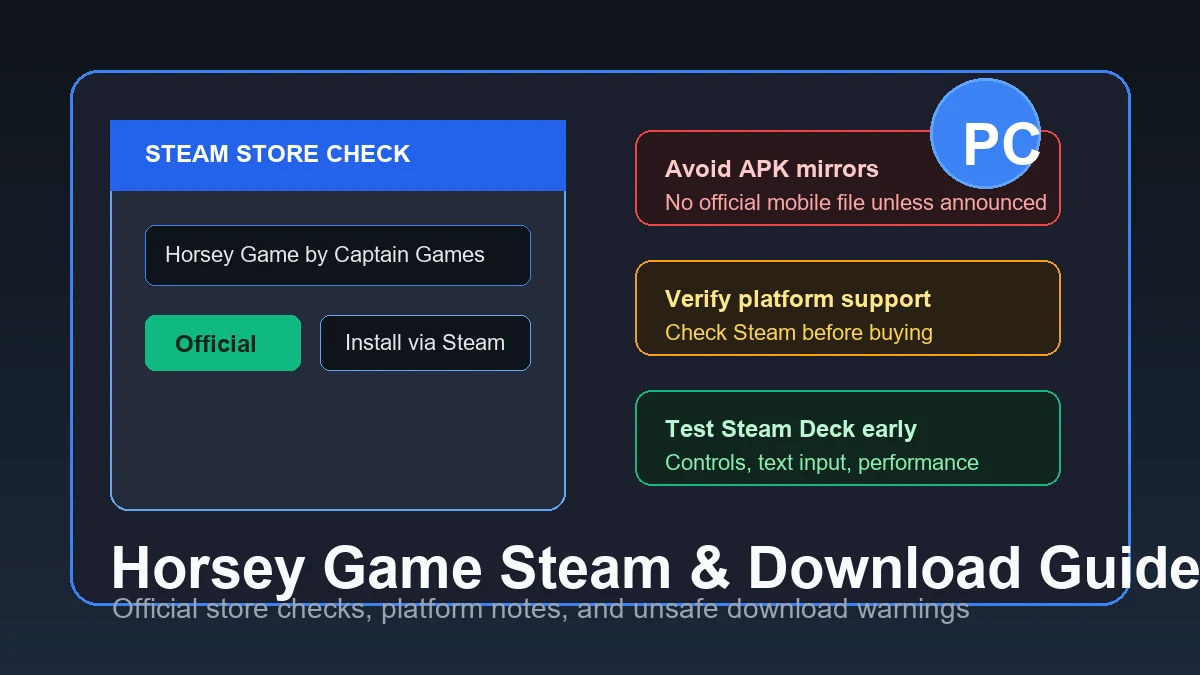
Download and buy Horsey Game from the official Steam store page. Steam identifies the game as a Captain Games release, lists the current price, shows recent reviews, publishes updates, and keeps the install flow inside your Steam library. If another page promises a free full version, APK, cracked installer, or browser download, treat it as unofficial unless Captain Games links to it from a verified channel.
The Steam listing is also the right place to verify current platform support because that information can change after updates. At the time this guide was prepared, the search opportunity was strongest around Steam and download intent, not around DNA codes. That is why this page focuses on buying, installing, compatibility checks, and safety instead of replacing the existing DNA guide.
Version check completed July 10, 2026: the official Steam listing remains the verified download source, shows a February 18, 2026 release, supports Windows and macOS, lists 60 MB minimum storage, and has a May 14, 2026 news update. No official Android APK is verified.
Official Source
Use the Steam store as the source of truth
The official Steam page answers the most important purchase questions in one place: developer, publisher, release date, price, supported features, language support, review score, screenshots, trailers, update history, community discussions, and system requirements. For a small indie game with fast community discovery, that matters more than copied download posts because Steam changes when the developer changes the product page.
This fan guide links to Steam, but it does not host installers or mirror files. That boundary is intentional. A fan wiki can help you understand what to check before buying, but the actual install should come from a store account that can deliver updates, refunds where eligible, achievements, cloud saves if supported, and support routing.
Current Steam SERP checks confirm Horsey Game is a Captain Games title released on February 18, 2026, with recent review and sale information changing on the store page. That is why this page should not hard-code a permanent price promise: use Steam for the live checkout number, reviews, screenshots, update notes, and support path.

- Developer check: Confirm Captain Games appears on the store page before paying or installing.
- Update check: Look at Steam update history if a guide, review, or video seems outdated.
- Library check: A real Steam purchase should install through your Steam client, not a random download button.
Price & Platforms
What the Steam page can confirm before you buy
Searches such as Horsey Game free, Horsey Game mobile, Horsey Game APK, and Horsey Game download usually come from players who want a quick way to try the game. The safer habit is to separate price questions from platform questions. Price can change during sales, regional pricing, bundles, or store updates, so use Steam for the current checkout number instead of trusting old screenshots.
Platform support needs the same caution. A store page can show PC operating systems, features, and minimum requirements, while community reports can discuss unofficial workarounds or controller comfort. Do not treat a random page saying mobile, Android, APK, Mac, Linux, or Steam Deck as proof. Check Steam first, then use community reports only as extra context.
Steam currently lists lightweight requirements such as Windows 10, 1 GB RAM, minimal graphics, and about 60 MB of storage, plus macOS information on localized store pages. Treat those as store-verified checks, then compare them against your own device before buying.
The July 10 store check confirmed Windows and macOS support, 60 MB minimum storage, the February 18 release date, and a May 14 Steam news update. Use the store page for later changes.
- Price: Use the Steam cart price for your region because search snippets and videos can lag behind sales.
- Windows or macOS: Check the system requirements tab before buying on an older laptop or shared machine.
- Mobile or APK: Do not install an APK unless the developer announces an official mobile release.
Compatibility
Steam Deck and Linux notes: verify, then test carefully
Steam Deck searches are common because Horsey Game looks like a natural handheld game: quick sessions, strange experiments, and physics-heavy outcomes. The safest answer is not to promise perfect compatibility from a fan page. Instead, check whether Steam shows a Deck compatibility label for your account, read recent community comments, and be ready to test input, text entry, resolution, and performance during the refund window if you are unsure.
Linux and Steam Deck players may see reports about Proton versions or controller layouts. Those reports can help, but they are not the same as an official guarantee. If a community note suggests a specific Proton version, treat it as a troubleshooting lead rather than a permanent requirement. Updates to the game, SteamOS, Proton, or drivers can change the result.

- Check Steam first: Use the store and your Steam client for the current compatibility label or warnings.
- Test inputs: Confirm keyboard prompts, menus, naming fields, and camera movement before you pass the refund window.
- Keep notes current: A Proton workaround from one month may be unnecessary or wrong after an update.
Safety
Why free download, crack, and APK pages are risky
Unofficial download pages often target new indie games because search demand grows faster than trustworthy guides. They may copy the game's name, show Steam screenshots, promise unlocked versions, or ask for browser notifications before showing a download. None of that proves the file is safe, current, or legal. It also does not help you receive official patches or support.
For Horsey Game specifically, unsafe pages also create confusion around mobile support. A page using the words Android, APK, mobile, free, or no-Steam should not override the developer's official store presence. If the developer publishes another official version later, the official Steam page, developer site, or verified social account is the safer path to discover it.
- No mirrors: Avoid download mirrors that are not linked by Captain Games or Steam.
- No cracks: Cracked installers can be modified, outdated, or bundled with unwanted software.
- No fake mobile promises: Treat APK claims as unverified unless an official channel announces them.
Reference
Horsey Game download safety table
Use this table when a search result, video description, or social post points you away from Steam.
| Claim | What to verify | Safe action |
|---|---|---|
| Official Steam download | Captain Games, app page, price, system requirements, recent updates | Use Steam to buy, install, update, and request support |
| Free full version | Whether the developer announced a free promotion or demo | Do not install from random file hosts |
| Mobile or APK | Developer announcement, official store listing, verified links | Avoid APK mirrors until an official mobile version exists |
| Steam Deck compatible | Steam compatibility label, recent player notes, refund-window testing | Test controls and performance before committing |
| Old guide or video | Upload date, patch date, Steam update history | Use it for context, then confirm current facts on Steam |
Checklist
Safe checklist before downloading Horsey Game
- Open the official Steam page Confirm the app is Horsey Game by Captain Games and check the current store price.
- Read platform and requirement details Review operating system, storage, graphics, and language notes before buying.
- Check recent reviews and updates Recent comments can reveal control, performance, or update issues that old guides miss.
- Ignore unofficial installer claims Skip APK, crack, free full version, and mirror pages unless an official source links them.
- Test early if compatibility matters On Steam Deck or older hardware, test controls and performance quickly while refund options may still apply.
FAQ
Horsey Game Steam and Download FAQ
Sources
Sources and notes
- Official Steam page for Horsey Game - used for official purchase, developer, release, reviews, screenshots, and store context.
- Horsey Game guides hub - reviewed for current community guide coverage and to avoid duplicating DNA guide intent.
- Steam support page for Horsey Game - used as a support-path reference for Steam installs.